






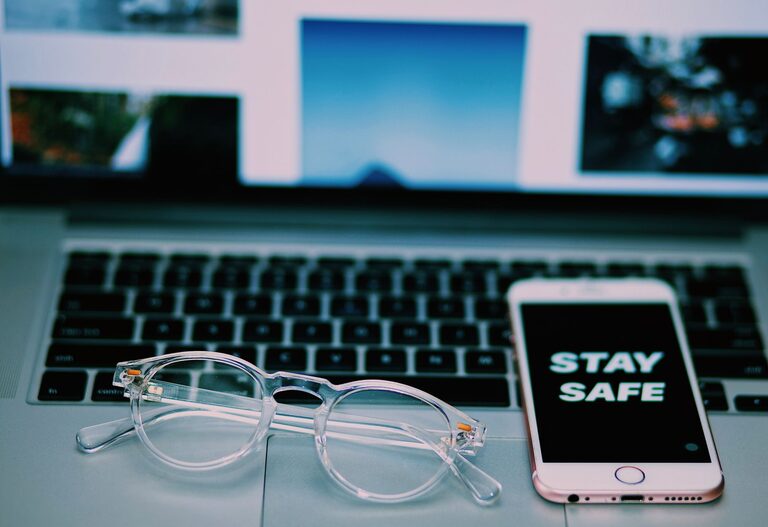
Keeping your phone and keyboard clean is essential for both hygiene and device longevity. These items are touched frequently and can harbor germs, dust, and grime. However, using the wrong cleaning methods or products can damage your gadgets. In this guide, we’ll walk you through safe and effective ways to clean your phone and keyboard, helping you maintain them without causing harm.
Why Clean Your Phone and Keyboard?
Phones and keyboards accumulate oils from your skin, dust, food particles, and bacteria over time. Regular cleaning can:
– Reduce the spread of germs and viruses
– Improve device functionality by preventing dust buildup
– Maintain the appearance and value of your devices
General Precautions Before Cleaning
Before you begin cleaning, keep these important tips in mind:
– Turn off your devices: Power down your phone and unplug your keyboard to avoid electrical damage or accidental inputs.
– Avoid excessive moisture: Never spray liquids directly on your devices. Moisture can seep inside and cause damage.
– Use gentle materials: Harsh cleaning tools can scratch screens or wear down keys. Use soft cloths and mild cleaners.
– Remove cases and accessories: Clean cases separately to reach all parts of your devices effectively.
How to Clean Your Phone Safely
What You’ll Need
– Microfiber cloth (soft and lint-free)
– Isopropyl alcohol (70% or less) or disinfecting wipes safe for electronics
– Cotton swabs
– Distilled water (optional for diluting alcohol)
Step-by-Step Phone Cleaning
- **Power off your phone** and unplug all accessories.
- **Remove the phone case** and clean it separately with soap and water, then dry completely.
- **Lightly dampen a microfiber cloth** with isopropyl alcohol diluted with distilled water (50/50 mix) or use a disinfecting wipe.
- **Gently wipe all surfaces** of the phone, including the screen, back, and sides. Avoid getting moisture into openings like the charging port or speakers.
- **Use a dry cotton swab** to clean small areas, such as around buttons and ports.
- **Allow your phone to air dry completely** before turning it back on or reinserting the case.
Tips for Screen Cleaning
– Avoid using window cleaners, bleach, or any abrasive products.
– For fingerprint smudges, a dry microfiber cloth can often do the trick without any liquid.
– Some phones have oleophobic coatings to repel oils, so be gentle.
How to Clean Your Keyboard Safely
What You’ll Need
– Compressed air can
– Soft brush or keyboard cleaning brush
– Microfiber cloth
– Mild soap solution or isopropyl alcohol wipes
Step-by-Step Keyboard Cleaning
- **Unplug your keyboard** or turn it off if it’s wireless.
- **Turn the keyboard upside down** and gently shake or tap it to dislodge loose debris.
- **Use compressed air** to blow out dust and crumbs from between the keys. Move in short bursts and hold the can upright.
- **Brush between keys** with a soft brush to loosen stubborn particles.
- **Dampen a microfiber cloth** with a mild soap solution or use alcohol wipes to clean the key surfaces. Avoid excess moisture.
- **For deep cleaning**, if the keys are removable, take them off carefully, clean them individually, and let them dry. Refer to your keyboard’s manual for instructions on removing keys.
- **Allow the keyboard to dry thoroughly** before plugging it back in or powering it on.
Additional Keyboard Care Tips
– Avoid eating over your keyboard to reduce crumbs and grease.
– Keep a small cleaning kit handy for regular maintenance.
– For laptops, be extra gentle as keys can be more delicate.
Cleaning Frequency Recommendations
– Phones: Wipe down your phone daily or every few days, especially during flu season or illness.
– Keyboards: Clean weekly or bi-weekly, with deep cleaning monthly or as needed.
Final Thoughts
Regular and careful cleaning of your phone and keyboard not only helps maintain their appearance but also protects your health and extends their lifespan. Use the right materials, avoid harsh chemicals, and be patient with the process. By following these simple steps, you can keep your devices safe, clean, and functioning perfectly.
Remember, keeping your technology clean is a small habit with big benefits!